loading.gif
Notes
Login Sign Up Shopping Cart English
Add to my favorite categories
category Paint & Photo Retouching
Path Yahoo Bid > Computer & Accessories > Software > Windows > Graphics, Video & Music > Paint & Photo Retouching
Remarks
Add my favorite keywords
Keywords CD
category Paint & Photo Retouching
Remarks
Join my favorite seller
Seller 3LhkT***
Remarks
Add to my blacklist seller
Seller 3LhkT***
Remarks
Yahoo Bid Computer & Accessories Software Windows Graphics, Video & Music Paint & Photo Retouching
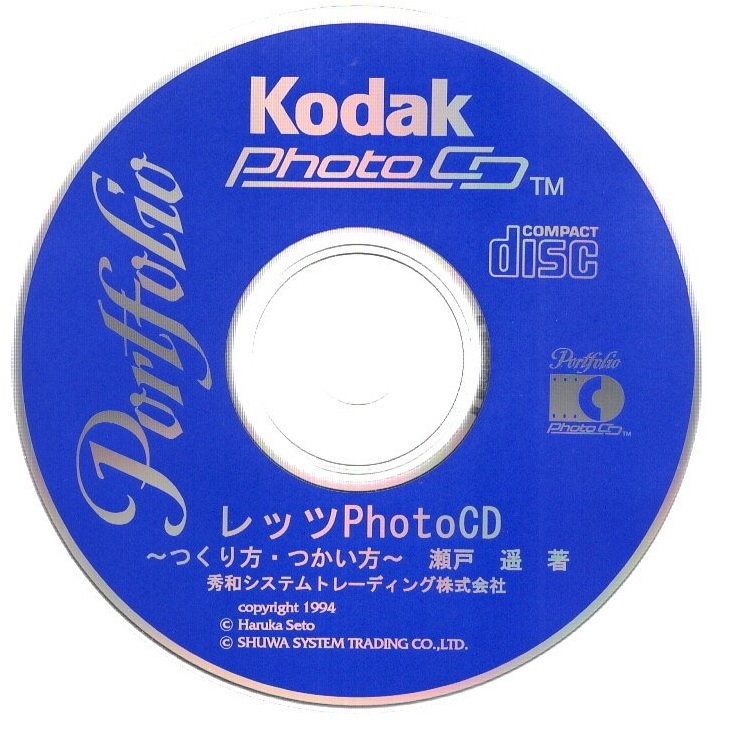
パソコンソフト 秀和システムトレーディング レッツPhotoCD~つくり方・つかい方~ 瀬戸遥 Kodak PhotoCD Portfolio CD-ROM ディスク確認済
        

  • Product Quantity
    : 1
  • Starting Bid
    :300円
  • Highest Bidder
    : / Rating:
  • Listing Date
    :May 31, 2026 22:18
  • Bidding closes on
    :Jun 07, 2026 22:18
  • Auction Number
    :e1113585604
  • Condition
    :Damaged and stained (specify in description)
  • Automatic Extension
    :Yes
  • Authentication
    :No
  • Early Closing
    :Yes
  • Can I return the product?
    :no
  • Description
  • Q&A ()
  • Cost Estimator
  • Problem Item Response Procedur
Notes
  1. The seller does not provide return compensation and other responsibilities
【商品の説明】
・提供元  :秀和システムトレーディング
・品名    :レッツPhotoCD ~つくり方・つかい方~ 瀬戸遥
・メディア:CD-ROM
・提供時期:1996年
・内容    :Kodak PhotoCD Portfolio コダック・フォトCD・ポートフォリオ

・CD-ROMのルート・ディレクトリの内容を3枚目の写真に示します。
・「README.TXT」の内容を一番最後に引用しておきます。

【商品の状態】
・WindowsPCでCD-ROMディスクを読み取り、ディレクトリが表示されることでディスク確認済みとしています。動作確認は行っていません。
・現状品として出品致しますので、ノークレーム・ノーリターンでお願いします。

【注意事項】
CD-ROMだけです。書籍や説明書などはありません
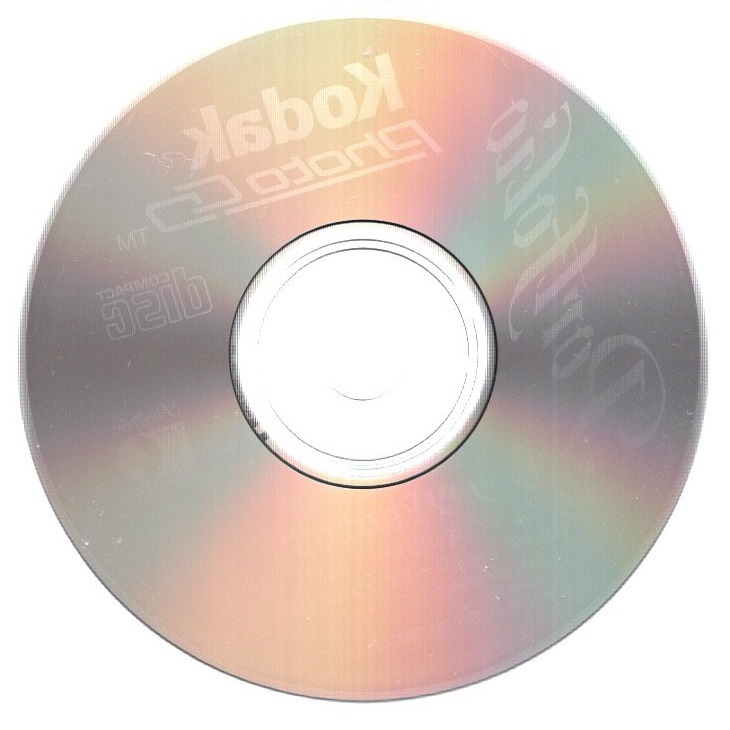
・説明文には十分に注意を払っていますが、万が一、説明文と写真の内容とが食い違っている場合には、写真を優先します。
・電池で動作する商品の場合、特別の記載がない限りは、商品に電池は含まれません。
・商品のサイズを示すために定規(金属製の物差し)が写真に写っている場合がありますが、あくまで大きさの参考であり、商品には含まれません。

【発送】
送料無料、つまり出品者負担です。
・お支払いから2~3日で、匿名配送で配達状況を追跡可能な「ゆうパケット」により発送予定です。
・「お問い合わせ番号」は「取引ナビ」の「お届け情報」からご確認いただけます。
・梱包資材は、リサイクル品を使用します。
「まとめて取引」のご依頼を歓迎します。

【その他】
・不明点はご質問ください。
・勝手ながら、出品者を評価していただいた方のみ、落札者の評価をさせていただきます。評価が不要な方は、出品者の評価を行わないでください。
・発送に「ゆうパケット」または「ゆうパック」を用いる場合は郵便局から発送しているため、お支払いが土日祝日の前日または前々日となった場合には、発送が土日祝日明けになる可能性があります。
・お支払いから3日以内(72時間以内)の発送を原則としていますので、特に理由がなければ72時間以内にこちらから取引メッセージを送ることはありません。
・匿名配送を利用しているので、代行業者以外の一般の方は、氏名・住所などを取引メッセージで開示しないでください。

【README.TXT】
To play this demo of the KODAK Photo CD Portfolio disc on your
computer, you will be using the KODAK Photo CD Player software.
Included on this disc, in the PLAYER folder/directory, are
Photo CD Player software versions compatible with both MACINTOSH
computers and PC compatibles running MICROSOFT WINDOWS 3.x.
The Photo CD Player software on this disc has been serialized
and will only play this particular Photo CD Portfolio disc. A
version of Photo CD Player software that will play any Photo CD
disc is included with KODAK Photo CD Access Plus, KODAK Create-It
Photo CD Presentation Software and KODAK Arrange-It Photo CD
Portfolio Layout Software.

Instructions for using the KODAK Photo CD Player software on PC
Compatibles/Microsoft Windows computers are included below.

SYSTEM REQUIREMENTS
- IBM PC AT or compatible 80386 or 80486
- VGA display or better
  (minimum 256 color for acceptable display)
- DOS 3.3 or higher
- MICROSOFT WINDOWS System 3.0 or higher

The MICROSOFT Windows compatible version of the KODAK Photo CD Player
software can be run right from this Photo CD Portfolio disc. Follow the
steps below to launch the Photo CD Player software:

1) Start MICROSOFT Windows
2) Load the Now You Can disc into a Photo CD compatible CD ROM drive.
3) OPEN the Windows File Manager and BROWSE the directories of the CD
   ROM disc
4) Open the PLAYER directory and the WIN directory.
5) Located in the WIN directory is PLAYER.EXE, double clicking on the
   file icon will launch the Player.

(The Player software can also be launched using the RUN command from the
Program Manager and typing the path on the command line of the RUN dialog
box, X:\PLAYER\WIN\PLAYER.EXE, where X is the drive letter of your CD
ROM drive.)

AUDIO: The Photo CD Portfolio format supports full CD quality audio.
A sound card is not necessary to hear the audio of a Photo CD Portfolio.
The audio will playback through either the headphone jack or the audio
out jacks on the CD ROM drive itself. If you are using a CD ROM drive
with the audio output connected to a sound card, the audio will also
playback through speakers connected to the audio out port of your
sound card.

*** IMPORTANT NOTES ***

The MCI CD AUDIO driver, included with MICROSOFT Windows, must be
installed to enable audio playback. To verify if this driver is
installed: open CONTROL PANELS and click on the DRIVERS ICON. Scroll
through the installed driver list to verify if the MCI CD AUDIO driver
is installed. If necessary install it by clicking on ADD and scrolling
the driver list. Select to add the MCI CD AUDIO. Follow the on screen
prompts and insert the appropriate MICROSOFT Windows System disc.
Restart Windows and the audio will now play.

In some cases when the Player software is running in the smaller size
window the right side of the control bar will appear to be cut off.
This is caused because the Windows default font you are using is too
large. The situation can be remedied by clicking on the SIZE button to
enlarge the Player display window or by loading a small font video
driver.

Performance of the Player will be increased by running Windows in
STANDARD mode. To run in Standard mode, start Windows by typing,
"WIN /S" at a DOS prompt.

The Player software will not run on a system with more than one CD ROM
drive connected. The software will prompt you with the message "Which CD
ROM drive" and then quit. The work around to avoid this is to reconfigure
your system with only one CD ROM drive and restart.

For licencing information please refer to the LICENSE.TXT;1 document located
in the \PHOTO_CD\RIGHTS directory.
Please log in before asking questions
Question list
All replies from original sellers (total number of questions: items)
After the seller responds, the original page will display the question
Product Price JPY
Japanese Consumption Tax(10%) JPY

A 10% consumption tax is applied to goods and services in Japan. The price may include the tax or it may be added separately. Please check the price details when ordering.

Note: This is a domestic sales tax applied within Japan.

Japan Local Shipping Fee JPY Japan Local Shipping Fee Reference
Product Weight KG The maximum weight limit is 30 kg
International Shipping Methods
Proxy bidding and purchasing services are becoming increasingly convenient. However, overseas shopping carries certain risks and issues. To reduce these risks and enhance shopping safety, please be sure to read the following information:

1. International Shipping

   Air Freight: If the item status is not confirmed within two days after the arrival notice, any customer complaints cannot be addressed with the seller.

2. After Receiving the Product

Please confirm and inspect the product as soon as possible to ensure that the product specifications, quantity, accessories, and description are correct

If, unfortunately, there are any issues, you can refer to the following examples on how to report related product problems:
1. Example of missing product information
2. Example of product not matching provided information
3. Example of damaged product information

Important Notes: 1. If the seller is unwilling to ship overseas or is unaware that the product will be shipped overseas, the international shipping cost for returns or exchanges will need to be borne by the member. You may refer to the EMS e-Express fee inquiry from the post office. If it involves alcoholic beverages or items that affect flight safety, the post office cannot be used for shipment, and only DHL can be used to ship back to Japan.
2. During the product complaint handling period, please retain the complete outer packaging of the product (including the shipping label information), and refrain from attempting any repairs or altering the original condition. Any modifications may result in the inability to process the case.

3. After Inspecting the Product

After receiving and inspecting the item, if you have any questions, it is recommended to contact Letao within 2 hours. Here are some reminders:

1. Please do not unpack, use or repair the received item yourself, and be sure to keep the original packaging to facilitate subsequent handling of related matters, so as to avoid changes to the item that may cause the seller to be unwilling to process.

2. You can call customer service, and the customer service will leave a message for you as below. Please provide the following information:
"Hello, we will first help you establish a complaint case for Product ID: _______ .But we need you to 2-3 clear photos of the product issue, including photos of the product problem, product packaging, shipping details slip, and outer box. Send them to service@letao.my and inform us of your desired resolution (failing to provide this may result in an inability to process subsequent matters). After sending the email, notify us in the customer service message. We will confirm with the seller as soon as possible. and if there are any related questions, we will contact you through the customer service message. Thank you for your cooperation."

Please provide:
1. "Product ID"
2. Photo of the "Delivery Note" (if any)
3. Photos of the outer box (including inner and outer packaging)
4. Photos of the product (Please include relevant descriptions to help us confirm with the seller)

Important Notes:
1. Do not include foreign text or other products in the background of the image.
2. Please keep the complete product packaging (including the shipping label information), and refrain from repairing or altering the original condition on your own, as any changes may result in the case being unable to be processed.
3. Please provide the relevant information within 48 hours to avoid missing the golden hour for reflection and causing situations that cannot be handled.
4. Due to 99% of Japanese sellers being unwilling or unaware of shipping goods overseas, if a seller is willing to handle the issue, the goods must be sent back to Japan, and the international shipping costs incurred must be borne by the member. Letao will use postal EMS international express to send the goods back to Japan.
5. As the goods are purchased from overseas, it may take approximately one to two weeks to complete the relevant processing procedures when issues arise with the goods. Please be reminded that you can inquire about the approximate cost through the EMS service at the post office.

4. FAQ

1. Issue of Authenticity: If antique or branded goods are found to be counterfeit upon receipt, clear photos showing the differences between the genuine product and the imitation must be provided as evidence. If unable to provide relevant proof, assistance can be sought to find a third-party reputable organization for a premium authentication service .
2. Leaking Iron Teapot: If an antique iron teapot is leaking, please take clear photos of the leaking area and provide them.
3. Transport Damage: If the goods are damaged during international shipping (to the pickup point), you need to provide photos of the outer packaging of the parcel and clear photos of the damaged goods' outer packaging.

※ Note: Photos provided to sellers should not contain any foreign-related information.
You may also like
    Seller products
    Excite Translate
    Add to watchlist and notes
    Product name: パソコンソフト 秀和システムトレーディング レッツPhotoCD~つくり方・つかい方~ 瀬戸遥 Kodak PhotoCD Portfolio CD-ROM ディスク確認済
    Notes:
    Customer service hours:
    • Monday to Friday 10:00-18:00
    Customer service hotline:
    Customer Service Email: service@letao.my