loading.gif
Notes
Login Sign Up Shopping Cart English
Add to my favorite categories
category Spreadsheets
Path Yahoo Bid > Books & Magazines > Computers & Internet > Applications > Spreadsheets
Remarks
Add my favorite keywords
Keywords CD
category Spreadsheets
Remarks
Join my favorite seller
Seller 8J4ij***
Remarks
Add to my blacklist seller
Seller 8J4ij***
Remarks
Yahoo Bid Books & Magazines Computers & Internet Applications Spreadsheets
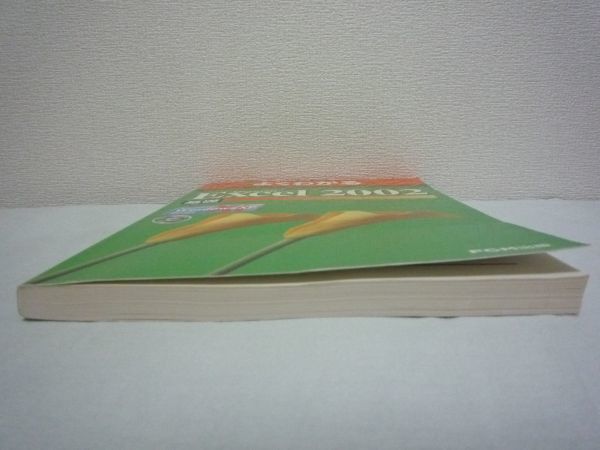
よくわかるトレーニングテキスト Microsoft Excel 2002 基礎CD付
        

  • Product Quantity
    : 1
  • Starting Bid
    :1,990円
  • Highest Bidder
    : / Rating:
  • Listing Date
    :May 31, 2026 23:55
  • Bidding closes on
    :Jun 07, 2026 21:55
  • Auction Number
    :f345543037
  • Condition
    :Damaged and stained (specify in description)
  • Automatic Extension
    :Yes
  • Authentication
    :Yes(Description)
  • Early Closing
    :Yes
  • Can I return the product?
    :no
  • Description
  • Q&A ()
  • Cost Estimator
  • Problem Item Response Procedur
Notes
  1. The seller does not provide return compensation and other responsibilities
+++ご覧頂ありがとうございます+++
≪ご入札予定の方は以下の内容を必ずお読み下さい≫
The
商品説明


■タイトル:よくわかるトレーニングテキスト Microsoft Excel 2002 基礎 Microsoft Office XP 

■著者:富士通オフィス機器株式会社

■ページ数:290ページ

■出版社:FOM出版


CD付属しております。

中古の為、外観にキズ、ヤケ、使用感があります。

天・小口・地に多少のヨゴレ・ヤケがあります。

本文には使用感がありますが、書き込みは見当たらずご利用頂く上では問題ございません。

キズや汚れなど気になさる方、完璧を求める方、神経質な方はご遠慮下さい。

中古品ですので、ご理解出来る方のみ入札をお願いします。

クリスタルパック又はクッション梱包にてお届けします。

付属品・付録等については入札前に質問欄からお問い合わせください。通常、付属品・付録等がある場合には記載しております。記載がない場合付属しておりません。

商品によっては、非売品・絶版・入手困難・品薄・貴重品・希少アイテムの為定価よりも高額となっているものがありますので、予め御了承ください。

商品1つ1つに対して定価よりも高額であるか否かは記載しておりませんので、出品提示価格にご理解・ご納得頂けた方のみご入札をお願い致します。


内容
初めてExcel 2002をお使いになる方を対象に、表の作成や編集、関数を使った計算処理、グラフ作成、印刷などの基本操作をはじめ、ワークシート間の連携、データの並べ替え、抽出、自動集計などを盛り込んで便利な機能を実習いたします。巻末に索引を付けているので、調べたい内容が探しやすくなっています。 目次 本書をご利用いただく前に 第1章 Excelの基本操作 STEP1 Excel 2002の概要 1 Excel 2002の概要 STEP2 Excelを起動する 1 Excelの起動 STEP3 Excelの画面を確認する 1 ウィンドウ 2 Excelの画面 STEP4 コマンドを操作する 1 コマンドの操作 2 メニューバー 3 ツールバー 4 ショートカットメニュー 5 作業ウィンドウ STEP5 ヘルプを利用する 1 ヘルプ 2 質問ボックス STEP6 ブックの基本操作 1 ワークブックとワークシート 2 ブックを開く 3 アクティブセルの指定 4 スクロール 5 シートの切り替え 6 ブックを閉じる STEP6 Excelを終了する 1 Excelの終了 第2章 データの入力・編集 STEP1 データを入力する 1 データの種類 2 データの入力手順 3 データの入力 4 データの修正 5 長い文字列の入力 6 数式の入力 STEP2 データを移動する・コピーする 1 移動 2 コピー STEP3 範囲を選択する・データを消去する 1 範囲選択の方法 2 データの消去 STEP4 ブックを保存する 1 ブックを保存 第3章 表の作成 STEP1 作成するブックを確認する 1 作成するブックの確認 STEP2 オートフィルを使う 1 オートフィル 2 連続データの入力 3 ダブルクリックのオートフィル STEP3 関数を入力する 1 関数 2 関数の入力(合計) 2 関数の入力(平均) STEP4 罫線を引く 1 罫線の作成 STEP5 表に書式を設定する 1 表の書式設定 2 表示形式の設定 3 フォントの設定 4 スタイルの設定 5 配置の設定 STEP6 表の構成を変更する 1 列幅と行の高さの変更 2 行の削除 3 行の挿入 STEP7 練習問題 第4章 表の編集 STEP1 作成するブックを確認する 1 作成するブックの確認 STEP2 セルの参照 1 セルの参照 2 相対参照を使った数式の入力 3 絶対参照を使った数式の入力 STEP3 便利な機能を活用する 1 オートSUMの活用 2 オートフォーマットの活用 3 ウィンドウ枠の固定 STEP4 効率的にデータを入力する 1 リストオートフィル 2 オートコンプリート 3 上書き保存 STEP5 練習問題 第5章 ワークシートの連携 STEP1 作成するブックを確認する 1 作成するブックの確認 STEP2 複数のシートを操作する 1 シートの確認 2 シートのコピー 3 シート名の変更 4 シート見出しの色の変更 5 作業グループの設定 STEP3 シート間で集計する(3D参照) 1 3D参照 STEP4 シートをリンクする 1 シートのリンク STEP5 シートを挿入する・削除する 1 シートの挿入 2 シートの削除 STEP6 参考学習(データの統合) 1 複数のブックの操作 2 ブックの確認 3 データの統合 4 すべてのブックを閉じる STEP7 練習問題 第6章 表の印刷 STEP1 印刷するブックを確認する 1 印刷するブックの確認 STEP2 表を印刷する 1 印刷する手順 2 印刷プレビュー 3 ページ設定 4 ヘッダー/フッターの設定 5 印刷タイトルの設定 6 印刷 第7章 グラフの作成 STEP1 作成するグラフを確認する 1 作成するグラフの確認 STEP2 グラフの概要 1 グラフ STEP3 グラフを作成する 1 グラフの作成 2 グラフの構成要素 STEP4 グラフを編集する 1 グラフの移動とサイズ変更 2 グラフの編集 3 データの変更とグラフの更新 STEP5 グラフの種類を変更する 1 グラフの種類の変更 STEP6 グラフを印刷する 1 印刷の手順 2 印刷プレビュー 3 印刷 STEP7 円グラフを作成する 1 円グラフの作成 2 グラフの編集 3 グラフの回転・切り出し STEP8 図形を作成する 1 オートシェイプ 2 オートシェイプの作成 3 吹き出しの編集 4 吹き出しの書式設定 5 3-D図形 STEP9 練習問題 第8章 データベースの利用 STEP1 作成するブックを確認する 1 作成するブックの確認 STEP2 データベース機能の概要 1 データベース 2 リスト STEP3 データを並べ替える 1 並べ替え 2 並べ替えの実行 STEP4 フィルタで抽出する 1 フィルタ 2 オートフィルタ 3 トップテンオートフィルタ 4 範囲を持つ条件のオートフィルタ STEP5 参考学習(複雑な条件の設定) 1 フィルタオプション STEP6 リストを自動集計する 1 自動集計 2 リストの自動集計 STEP7 練習問題 練習問題解答 付録 Windowsの基礎知識 STEP1 Windowsの概要 1 Windowsとは STEP2 マウスを操作する 1 マウスの操作方法 STEP3 Windowsを起動する・終了する 1 起動方法 2 終了方法 STEP4 Windowsの画面構成 1 デスクトップの各部の名称と役割 STEP5 スタートメニューを表示する 1 スタートメニュー STEP6 ウィンドウの基本操作 1 プログラムの起動 2 ウィンドウの各部の名称と役割 3 ウィンドウの最大化・復元・最小化 4 ウィンドウのサイズ変更 5 ウィンドウの移動 6 ウィンドウを閉じる 索引


The
支払方法


Yahooかんたん決済


※切手でのお支払いは対応しておりません。

The
発送方法


ヤマト運輸 or 日本郵便:164円

商品内容・発送タイミング等の理由により、運送会社・発送方法のご指定はできませんので予めご了承ください。


The
コメント


【 埼玉県公安委員会許可 古物商許可証取得済み 】です。

落札後はノークレーム・ノーリターンでお願い致します。

【 至急商品が必要な方、早急な発送をご希望の方はご入札をご遠慮下さい。 】

【 ご入金確認後から商品到着迄1週間程度かかる 】場合もございます。

仕事の影響や連休時の私事により取引連絡・商品発送等の対応が遅くなる場合がございますので、ご理解をお願い致します。

至急発送して欲しいという方は、【 ご入札前に 】質問欄より発送期限をご連絡ください。

対応可否についてご回答致します。

トラブル多発により、【 ≪評価がご新規の方≫、≪悪い評価がある方≫、≪キャンセル履歴がある方≫のご入札はご遠慮ください。 】

入札を取り消す場合もございます。

落札後当方からご連絡致します。当方からのご連絡後3日以内にご返信をお願い致します。

ご連絡頂けない場合は、ご購入の意志が無いと判断させて頂きまして、ご落札の取り消しをさせて頂きます。


他にも出品しています。よろしければご覧ください。


The
ウォッチリストご登録の方へ


不定期に出品商品を整理・処分しております。

その為、オークション終了後(入札なし)、入札をお忘れになった方から再出品して欲しいとのご依頼がございますが、対応できない場合がございます。

また、出品中のオークション商品(入札なし)につきましても、取り消しを行っております。

オークション終了間際の入札をお考えの方にはご迷惑をお掛けしますが、御了承くださいますようお願い申し上げます。

ご入札されましたオークション商品につきましては、保管しておりますのでご安心ください。

+ + + この商品説明は オークションプレートメーカー2 で作成しました  + + +
No.251.002.005


この商品はヤフオク!出品管理ツール「AppTool(アップツール)」で出品されています。
Please log in before asking questions
Question list
All replies from original sellers (total number of questions: items)
After the seller responds, the original page will display the question
Product Price JPY
Japanese Consumption Tax(10%) JPY

A 10% consumption tax is applied to goods and services in Japan. The price may include the tax or it may be added separately. Please check the price details when ordering.

Note: This is a domestic sales tax applied within Japan.

Japan Local Shipping Fee JPY Japan Local Shipping Fee Reference
Product Weight KG The maximum weight limit is 30 kg
International Shipping Methods
Proxy bidding and purchasing services are becoming increasingly convenient. However, overseas shopping carries certain risks and issues. To reduce these risks and enhance shopping safety, please be sure to read the following information:

1. International Shipping

   Air Freight: If the item status is not confirmed within two days after the arrival notice, any customer complaints cannot be addressed with the seller.

2. After Receiving the Product

Please confirm and inspect the product as soon as possible to ensure that the product specifications, quantity, accessories, and description are correct

If, unfortunately, there are any issues, you can refer to the following examples on how to report related product problems:
1. Example of missing product information
2. Example of product not matching provided information
3. Example of damaged product information

Important Notes: 1. If the seller is unwilling to ship overseas or is unaware that the product will be shipped overseas, the international shipping cost for returns or exchanges will need to be borne by the member. You may refer to the EMS e-Express fee inquiry from the post office. If it involves alcoholic beverages or items that affect flight safety, the post office cannot be used for shipment, and only DHL can be used to ship back to Japan.
2. During the product complaint handling period, please retain the complete outer packaging of the product (including the shipping label information), and refrain from attempting any repairs or altering the original condition. Any modifications may result in the inability to process the case.

3. After Inspecting the Product

After receiving and inspecting the item, if you have any questions, it is recommended to contact Letao within 2 hours. Here are some reminders:

1. Please do not unpack, use or repair the received item yourself, and be sure to keep the original packaging to facilitate subsequent handling of related matters, so as to avoid changes to the item that may cause the seller to be unwilling to process.

2. You can call customer service, and the customer service will leave a message for you as below. Please provide the following information:
"Hello, we will first help you establish a complaint case for Product ID: _______ .But we need you to 2-3 clear photos of the product issue, including photos of the product problem, product packaging, shipping details slip, and outer box. Send them to service@letao.my and inform us of your desired resolution (failing to provide this may result in an inability to process subsequent matters). After sending the email, notify us in the customer service message. We will confirm with the seller as soon as possible. and if there are any related questions, we will contact you through the customer service message. Thank you for your cooperation."

Please provide:
1. "Product ID"
2. Photo of the "Delivery Note" (if any)
3. Photos of the outer box (including inner and outer packaging)
4. Photos of the product (Please include relevant descriptions to help us confirm with the seller)

Important Notes:
1. Do not include foreign text or other products in the background of the image.
2. Please keep the complete product packaging (including the shipping label information), and refrain from repairing or altering the original condition on your own, as any changes may result in the case being unable to be processed.
3. Please provide the relevant information within 48 hours to avoid missing the golden hour for reflection and causing situations that cannot be handled.
4. Due to 99% of Japanese sellers being unwilling or unaware of shipping goods overseas, if a seller is willing to handle the issue, the goods must be sent back to Japan, and the international shipping costs incurred must be borne by the member. Letao will use postal EMS international express to send the goods back to Japan.
5. As the goods are purchased from overseas, it may take approximately one to two weeks to complete the relevant processing procedures when issues arise with the goods. Please be reminded that you can inquire about the approximate cost through the EMS service at the post office.

4. FAQ

1. Issue of Authenticity: If antique or branded goods are found to be counterfeit upon receipt, clear photos showing the differences between the genuine product and the imitation must be provided as evidence. If unable to provide relevant proof, assistance can be sought to find a third-party reputable organization for a premium authentication service .
2. Leaking Iron Teapot: If an antique iron teapot is leaking, please take clear photos of the leaking area and provide them.
3. Transport Damage: If the goods are damaged during international shipping (to the pickup point), you need to provide photos of the outer packaging of the parcel and clear photos of the damaged goods' outer packaging.

※ Note: Photos provided to sellers should not contain any foreign-related information.
You may also like
    Seller products
    Excite Translate
    Add to watchlist and notes
    Product name: よくわかるトレーニングテキスト Microsoft Excel 2002 基礎CD付
    Notes:
    Customer service hours:
    • Monday to Friday 10:00-18:00
    Customer service hotline:
    Customer Service Email: service@letao.my