loading.gif
Notes
Login Sign Up Shopping Cart English
Add to my favorite categories
category Other
Path Yahoo Bid > Computer & Accessories > Software > Windows > Graphics, Video & Music > Other
Remarks
Add my favorite keywords
Keywords CD
category Other
Remarks
Join my favorite seller
Seller 3LhkT***
Remarks
Add to my blacklist seller
Seller 3LhkT***
Remarks
Yahoo Bid Computer & Accessories Software Windows Graphics, Video & Music Other
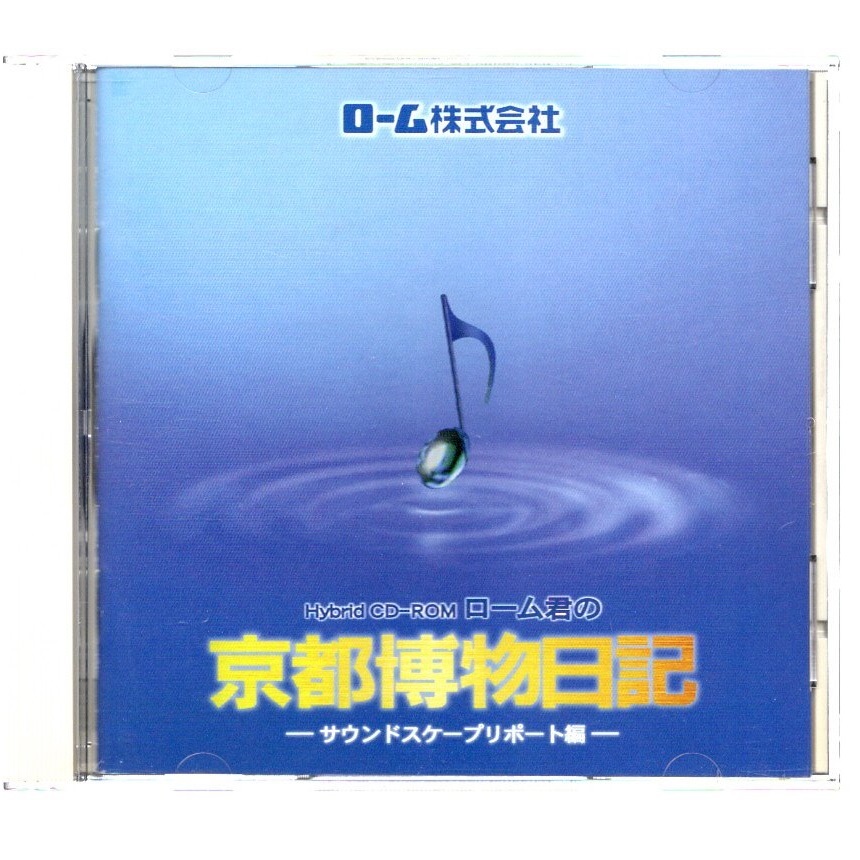
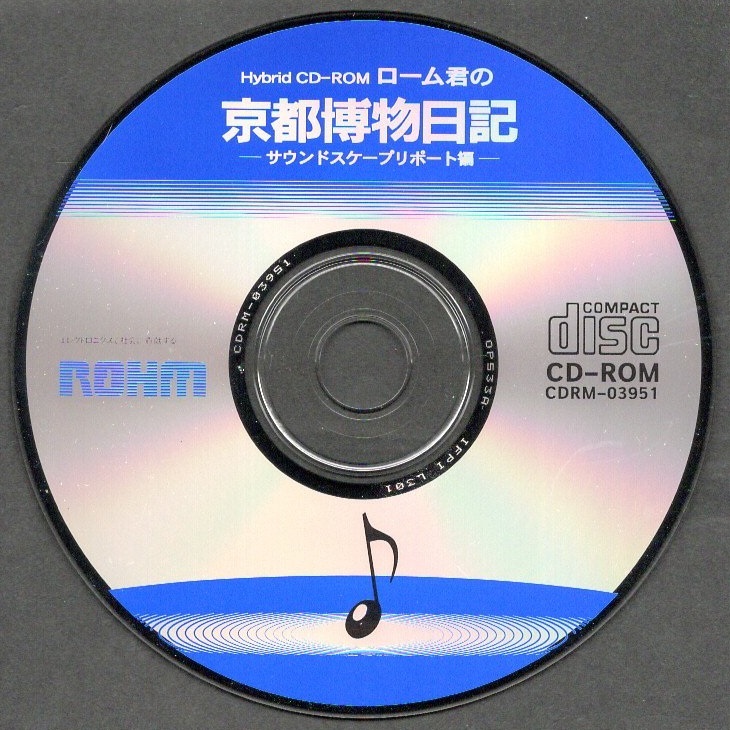
パソコンソフト ROHM ローム ローム君の京都博物日記 サウンドスケープリポート編 1995 CD-ROM 1枚 非売品 ディスク確認済
        

  • Product Quantity
    : 1
  • Starting Bid
    :300円
  • Highest Bidder
    : / Rating:
  • Listing Date
    :May 31, 2026 22:40
  • Bidding closes on
    :Jun 07, 2026 22:40
  • Auction Number
    :q1030728614
  • Condition
    :Damaged and stained (specify in description)
  • Automatic Extension
    :Yes
  • Authentication
    :No
  • Early Closing
    :Yes
  • Can I return the product?
    :no
  • Description
  • Q&A ()
  • Cost Estimator
  • Problem Item Response Procedur
Notes
  1. The seller does not provide return compensation and other responsibilities
【商品の説明】
・提供元  :ローム ROHM
・品名    :ローム君の京都博物日記 サウンドスケープリポート編
・メディア:CD-ROM
・提供時期:1995年
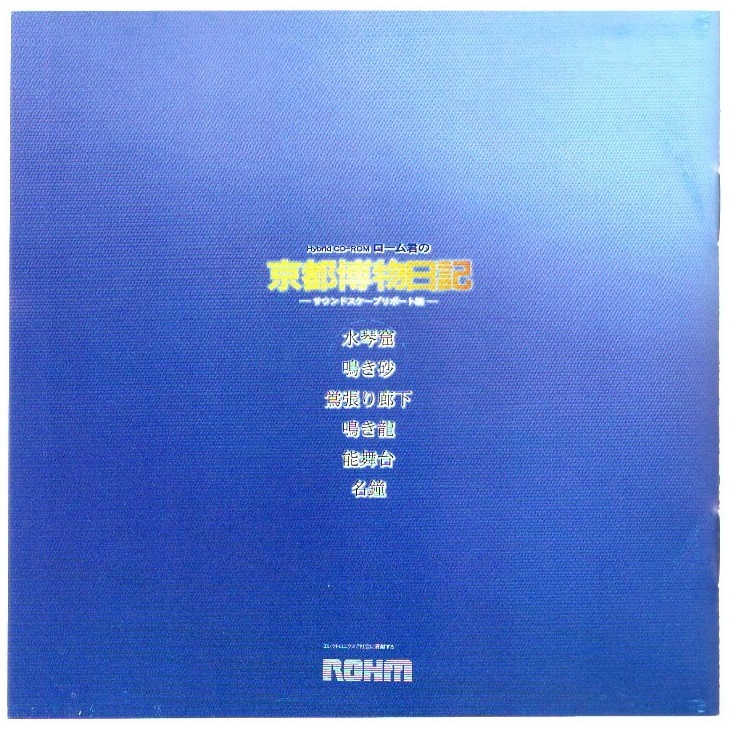
・内容    :水琴窟/鳴き砂/鴬張り廊下/鳴き龍/能舞台/名鐘

・一番最後の写真に、ルート・ディレクトリの内容を示します。
・「README.WRI」の内容抜粋を説明の一番最後に引用しておきます。

【商品の状態】
・WindowsPCでCD-ROMディスクを読み取り、ディレクトリが表示されることでディスク確認済みとしています。動作確認は行っていません。(一番最後の写真参照)
・保管品なので、パッケージには全体的にスレ、キズ、汚れがあります。
・現状品として出品致しますので、ノークレーム・ノーリターンでお願いします。

【注意事項】

・説明文には十分に注意を払っていますが、万が一、説明文と写真の内容とが食い違っている場合には、写真を優先します。
・電池で動作する商品の場合、特別の記載がない限りは、商品に電池は含まれません。
・商品のサイズを示すために定規(金属製の物差し)が写真に写っている場合がありますが、あくまで大きさの参考であり、商品には含まれません。

【発送】

送料無料、つまり出品者負担です。
・お支払い手続きをいただいた後、数日内に、匿名配送で配達状況を追跡可能な「ゆうパケット(おてがる版)封筒または小箱使用」で発送します。
・梱包資材は、リサイクル品を使用します。
「まとめて取引」のご依頼を歓迎します。

【その他】

・不明点はご質問ください。
・勝手ながら、出品者を評価していただいた方のみ、落札者の評価をさせていただきます。
・評価が不要な方は、出品者の評価をしていただかなくても結構です。
・発送に「ゆうパケット(おてがる版)」または「ゆうパック(おてがる版)」を用いる場合は郵便局から発送しているため、お支払いが土日祝日の前日または前々日となった場合には、発送が土日祝日明けになる可能性があります。

【README.WRI】
ローム君の「京都博物日記」 サウンドスケープリポート編

■必要なハードウェア・ソフトウェア

このCD-ROMを再生するには以下の動作環境が必要です。

・i486DX2-66MHz以上のCPU*
・8MB以上のRAM(5MB以上の空き)
・日本語Microsoft Windows 3.1以上*
・バージョン2.0以上のQuickTime for Windows
 (添付されているQuickTime for Windows 2.0が、セットアップ時に自動的にインストールされます。)
・256色以上表示できる640×480ドット以上**のモニタ
・2倍速(倍速)以上のCD-ROMドライブ
・Windows 3.1対応のPCM音源(SoundBlasta16推奨)

*FM TOWNSおよびTOWNS OS上では、CD-ROMの一部の機能が正常に作動しないことが  
あります。詳しくは「■FM TOWNSシリーズをご使用の方へ」をお読みください。

**一部のディスプレイドライバソフトで256色では正常に機能しないことがあります。この場合64k、または16Mに設定し直してください。モニタのディスプレイモードの設定については、「■いろいろな設定について」をお読みください。

■いろいろな設定について

・必要のないアプリケーションはすべて終了してください。必要のないアプリケーションが起動していると、動作が不安定になったり、遅くなる場合があります。ウイルスチェッカやスクリーンセイバーなども、CD-ROMの良好な再生を妨げる要因になる可能性があります。システムから外して、機能しないようにしてください。
・マシンの種類によっては、しばらくの間キーを押さなかったり、マウスを動かさなかった場合、画面を暗くするなどの節電モード機能を持つ場合があります。この場合も動作が不安定になることが考えられますので、節電モードに入らないようにご注意ください。
・このCD-ROMはメモリが 8MB以上搭載されたWindowsマシンで動作するように設計されていますが、プログラムが利用できるメモリ量は環境によって変化します。ハードディスクに頻繁にアクセスして動作が遅い場合、利用できるメモリが少なくなっていることが考えられます。メモリを増設するか、必要のないプログラム等が読み込まれないようにしてください。また、スワップファイルはできるだけ10MB以上確保するようにしてください。スワップファイルの設定については、Windowsのマニュアルを参照してください。
・このCD-ROMは640×480ドットのモニタを対象に作られているため、それ以上の画面サイズのモニタをご使用の場合には、ディスプレイを必ず「640×480ドット」モードに設定してください。また、フォントは「12ドット」または「9pt.」にしてください。これらの設定については、Windowsのマニュアルを参照してください。
・このCD-ROMは、256色、32K色、64K色、16Mに対応していますが、表示には32K、または64K色をお奨めします。256色では一部のイメージが本来の画質で表示されません。表示色が多くなるほどイメージはきれいに表示されますが、同時にコンピュータへの負担も大きくなります。再生するコンピュータのメモリやCPUなどの条件に応じて、十分に再生できる解像度に設定してください。再生環境の条件が適切でない場合、予測できないエラーが起きることがあり、CD-ROMの適切な動作については保証できません。
・ディスプレイのパフォーマンスを改善するためには、最新バージョンのディスプレイドライバのご使用をお奨めします。「はじめる」を起動したときに、「アプリケーションエラーが発生しました」という警告メッセージに続いて、「STARBACAで一般保護違反が発生しました。発生した場所は、...」と表示された場合には、古いバージョンのディスプレイドライバが原因になっていると考えられます。最新バージョンのディスプレイドライバは大手商用ネットワークやユーザーズグループなどを通じて入手することができます。詳細については、各メーカーに直接お問い合わせください。
・このCD-ROMには動画を拡大再生する機能が用意されています。しかしこのCD-ROMが制作された時点では、画像処理の負担が大きすぎるため画像の良好な再生が行われなくなったり、ボタンが一時的に機能しなくなることがあります。(再生が終了すると、ボタン処理は確実に機能します)
*Macintoshでは拡大再生時も正常に機能します。

■QuickTimeについて

このCD-ROMをご覧いただくにはシステム書類、QuickTime for Windows 2.0が必要です。「setup.exe」でインストールを行うと、CD-ROMに添付されているQuickTime for Windows 2.0が、同一ディレクトリ「cd_rohm」に自動的にインストールされます。これらの書類の変更、移動、削除は行わないでください。もし、誤って変更、移動、削除してしまった場合には、必ず「setup.exe」で再度インストールしてください。
また、すでに別のCD-ROMなどでQuickTimeをインストールしている場合には、そのQuickTimeのバージョンに関わらず、複数のQuickTimeェ for Windowsがインストールされていることが原因でエラーが起きることがあります。「はじめる」を起動したときに、「アプリケーションエラーが発生しました」という警告メッセージに続いて、「PROJECTORで一般保護違反が発生しました。発生した場所は、モジュールDHIO_DH.QTC内の...」と表示された場合には、以下の方法で対処してください。

1. Windowsを再起動します。
2. ファイルマネージャの「ファイル」メニューの中にある「名前の変更(N)...」を選択します。
3.「京都博物日記」をインストールしたディレクトリの中にある「DHIO_DH.QTC」のファイル名を、「DHIO_DH.QTB」に変更して保存します。

■FM TOWNSシリーズをご使用の方へ

・富士通FM TOWNSシリーズのいくつかの機種では、音が正常に再生されなくなることがあります。
・富士通FM TOWNSシリーズでご覧いただく場合、TOWNS OS上からWindowsを起動し、「SETUP.EXE」でインストールを行う場合、正常に行われないことがあります。この場合下記の方法によりマニュアルでインストールを行ってください。

1.「プログラム マネージャ」の「メイン」から「ファイル マネージャ」を起動します。
2.任意のドライブを選択。[ファイル(F)]メニューから[ディレクトリの作成(E)...]を選択。ダイアログボックスにディレクトリの名前(例:cd_rohm)を入力して、[OK]ボタンをクリックし新規のディレクトリを作成します。
3.CD-ROM ドライブを選択。「install」ディレクトリの中にあるすべてのファイルを、作成したディレクトリにコピーします。
4.コピーした「qtw.ini」を、Windowsがインストールされているドライブの「Windows」ディレクトリに移動、またはコピーします。
5.コピーしたファイルの中から「lingo.ini」を選択。[ファイル(F)]メニューから[属性の変更(T)...]を選択。ダイアログボックスの「属性」で「書き込み禁止」のチェックボックスを外して、[OK]ボタンをクリックします。
6.「ファイル マネージャ」を終了し、「アクセサリ」から「メモ帳」を起動します。
7.[ファイル(F)]メニューから[開く(O)...]を選択。新規に作成したディレクトリをダイアログボックスで選択。「ファイルの種類(T):」には「すべてのファイル(*.*)」を選択し、コピーした「lingo.ini」を開きます。
8.「lingo.ini」を以下のように変更します。(Qには、ご利用のCD-ROMドライブのドライブ番号を入力します)

on startup
   global gDrive
   set gDrive = "Q"
end

9.[ファイル(F)]メニューから[上書き保存(S)...]を選択。ファイルを保存し、「メモ帳」を終了します。
10.[アイコン(F)]メニューから[登録とグループの作成(N)...]を選択。ダイアログボックスで「グループの作成(G)」を選び、[OK]ボタンをクリックします。
11.「タイトル(D):」にグループの名前(例:京都博物日記)を入力し、[OK]ボタンをクリックすると、「プログラム マネージャ」上に新規のグループ「京都博物日記」ができます。
12.再び、[アイコン(F)]メニューから[登録とグループの作成(N)...]を選択。ダイアログボックスで「アイコンの登録(I)」を選び[OK]ボタンをクリックします。
13.ダイアログボックスで「タイトル(D):」に「はじめる」と入力します。
14.[参照(B)...]ボタンをクリックして、「ファイルの種類(T):」には「プログラム」を選択。コピーした「rohm.exe」を選び[OK]ボタンをクリックします。
15.さらに、[アイコンの変更(I)...]ボタンをクリックして、次のダイアログボックスで、[参照(B)...]ボタンをクリックします。「ファイルの種類(T):」には「アイコン ファイル」を選択し、コピーした「rohm.ico」を選択して[OK]ボタンをクリックします。
16.戻ったダイアログボックスでも[OK]ボタンをクリックすると、「プログラム マネージャ」上に作られたグループ「京都博物日記」の中に、プログラムアイコン「はじめる」が登録されているはずです。
17.同様に、「readme」を「初めにお読みください」の名前でアイコン登録します。(ただし、[アイコンの変更(I)...]を行う必要はありません)
以上で、「setup.exe」でインストールした場合と同じ状態で登録することができます。

■NEC製品をご使用の方へ

・一部の256色ディスプレイドライバで正常に動作しないことがあります。この場合、64K、または16Mに設定を変更してご覧ください。
・PC-9821Np+ドッキングステーション等の構成でこのCD-ROMをご覧いただく場合、動画再生が良好に行われないことがあります。

--------------------------------------------------------------------------------

  ※MicrosoftはMicrosoft Corporationの登録商標です。WindowsはMicrosoft Corporationの商標です。Windowsの正式名称はMicrosoft Windows Operating Systemです。i486はIntel  
         Corporationの商標です。QuickTimeはApple Computer, Inc.の登録商標です。Directorは
         Macromedia, Inc.の登録商標です。その他の製品および商品は各社の商標または登録商標です。

※このCD-ROMはMacromedia社のDirector 4.0.4Jで制作されました。
※本作品を著作権者に無断で複製したり、営利目的に利用することは法律で禁止されています。

■制作・著作
ローム株式会社
〒615 京都市右京区西院溝崎町21 
                                                                  FAX 075-311-6206
Please log in before asking questions
Question list
All replies from original sellers (total number of questions: items)
After the seller responds, the original page will display the question
Product Price JPY
Japanese Consumption Tax(10%) JPY

A 10% consumption tax is applied to goods and services in Japan. The price may include the tax or it may be added separately. Please check the price details when ordering.

Note: This is a domestic sales tax applied within Japan.

Japan Local Shipping Fee JPY Japan Local Shipping Fee Reference
Product Weight KG The maximum weight limit is 30 kg
International Shipping Methods
Proxy bidding and purchasing services are becoming increasingly convenient. However, overseas shopping carries certain risks and issues. To reduce these risks and enhance shopping safety, please be sure to read the following information:

1. International Shipping

   Air Freight: If the item status is not confirmed within two days after the arrival notice, any customer complaints cannot be addressed with the seller.

2. After Receiving the Product

Please confirm and inspect the product as soon as possible to ensure that the product specifications, quantity, accessories, and description are correct

If, unfortunately, there are any issues, you can refer to the following examples on how to report related product problems:
1. Example of missing product information
2. Example of product not matching provided information
3. Example of damaged product information

Important Notes: 1. If the seller is unwilling to ship overseas or is unaware that the product will be shipped overseas, the international shipping cost for returns or exchanges will need to be borne by the member. You may refer to the EMS e-Express fee inquiry from the post office. If it involves alcoholic beverages or items that affect flight safety, the post office cannot be used for shipment, and only DHL can be used to ship back to Japan.
2. During the product complaint handling period, please retain the complete outer packaging of the product (including the shipping label information), and refrain from attempting any repairs or altering the original condition. Any modifications may result in the inability to process the case.

3. After Inspecting the Product

After receiving and inspecting the item, if you have any questions, it is recommended to contact Letao within 2 hours. Here are some reminders:

1. Please do not unpack, use or repair the received item yourself, and be sure to keep the original packaging to facilitate subsequent handling of related matters, so as to avoid changes to the item that may cause the seller to be unwilling to process.

2. You can call customer service, and the customer service will leave a message for you as below. Please provide the following information:
"Hello, we will first help you establish a complaint case for Product ID: _______ .But we need you to 2-3 clear photos of the product issue, including photos of the product problem, product packaging, shipping details slip, and outer box. Send them to service@letao.my and inform us of your desired resolution (failing to provide this may result in an inability to process subsequent matters). After sending the email, notify us in the customer service message. We will confirm with the seller as soon as possible. and if there are any related questions, we will contact you through the customer service message. Thank you for your cooperation."

Please provide:
1. "Product ID"
2. Photo of the "Delivery Note" (if any)
3. Photos of the outer box (including inner and outer packaging)
4. Photos of the product (Please include relevant descriptions to help us confirm with the seller)

Important Notes:
1. Do not include foreign text or other products in the background of the image.
2. Please keep the complete product packaging (including the shipping label information), and refrain from repairing or altering the original condition on your own, as any changes may result in the case being unable to be processed.
3. Please provide the relevant information within 48 hours to avoid missing the golden hour for reflection and causing situations that cannot be handled.
4. Due to 99% of Japanese sellers being unwilling or unaware of shipping goods overseas, if a seller is willing to handle the issue, the goods must be sent back to Japan, and the international shipping costs incurred must be borne by the member. Letao will use postal EMS international express to send the goods back to Japan.
5. As the goods are purchased from overseas, it may take approximately one to two weeks to complete the relevant processing procedures when issues arise with the goods. Please be reminded that you can inquire about the approximate cost through the EMS service at the post office.

4. FAQ

1. Issue of Authenticity: If antique or branded goods are found to be counterfeit upon receipt, clear photos showing the differences between the genuine product and the imitation must be provided as evidence. If unable to provide relevant proof, assistance can be sought to find a third-party reputable organization for a premium authentication service .
2. Leaking Iron Teapot: If an antique iron teapot is leaking, please take clear photos of the leaking area and provide them.
3. Transport Damage: If the goods are damaged during international shipping (to the pickup point), you need to provide photos of the outer packaging of the parcel and clear photos of the damaged goods' outer packaging.

※ Note: Photos provided to sellers should not contain any foreign-related information.
You may also like
    Seller products
    Excite Translate
    Add to watchlist and notes
    Product name: パソコンソフト ROHM ローム ローム君の京都博物日記 サウンドスケープリポート編 1995 CD-ROM 1枚 非売品 ディスク確認済
    Notes:
    Customer service hours:
    • Monday to Friday 10:00-18:00
    Customer service hotline:
    Customer Service Email: service@letao.my